Free Fire has finally returned to India with an official relaunch. Gamers across the country can now install and play the updated version directly from official stores. Alongside this, Free Fire Lite is making waves as a lighter, low MB alternative for players with budget phones. Both versions aim to give players fast-paced battle royale action with easy accessibility.
A Short History: Free Fire, The India Ban, and the Road to Relaunch
Free Fire was one of the most popular mobile games in India until it was banned in 2022. Millions of players were disappointed, but the developers worked hard behind the scenes to meet the requirements for a comeback. After years of waiting, Free Fire has relaunched with new features, improved security, and localized updates.
Why the ban happened
The game was removed due to data security and compliance concerns. It wasn’t about gameplay quality but more about protecting user information.
What changed for the relaunch
For the relaunch, Free Fire is now more secure, regionally optimized, and focused on Indian players. It also comes with tournaments, community events, and safer download options.
The Official Relaunch: What Garena Announced
Garena confirmed Free Fire’s official comeback in India with competitive tournaments, new content, and regional servers. They are focusing heavily on esports events, offering prize pools and opportunities for players to shine. The relaunch is not just about reinstalling the game but rebuilding a thriving Free Fire community in India.
Free Fire India vs Free Fire Global vs Free Fire MAX
Differences you should know
- Free Fire India is designed with Indian gamers in mind, offering localized content and safer compliance.
- Free Fire Global is the worldwide version used in most other regions.
- Free Fire MAX is the upgraded version with better graphics, effects, and visuals but requires more storage and higher specs.
Think of it like three trims of the same car — one standard, one premium, and one locally customized.
What Is Free Fire Lite?
Free Fire Lite is a lighter version created for phones with lower specifications. It provides the same fast-paced battle royale matches but without heavy graphics and large file sizes. The Lite version often comes in under 120 MB, making it perfect for 2 GB RAM or low-storage devices.
Lite vs regular: graphics, size, players
- Graphics are toned down for smooth performance.
- File size is smaller, allowing quick installs.
- Match experience is almost the same, just without high-end effects.
Reported APK sizes and device targets
Most reports suggest Free Fire Lite APKs are around 90 to 110 MB. They’re designed for older Android devices and budget phones.
Why “Low MB, Big Action” Actually Works for Gamers
Not everyone owns a flagship phone with massive storage. A low MB download allows players to join the fun quickly. Imagine fitting a roller coaster into your pocket — short but full of thrills. That’s what Free Fire Lite delivers: smaller file, same adrenaline.
How to Install Free Fire India (Safe Steps)
Here’s how you can get the official version safely:
Android — Play Store
- Open Google Play Store.
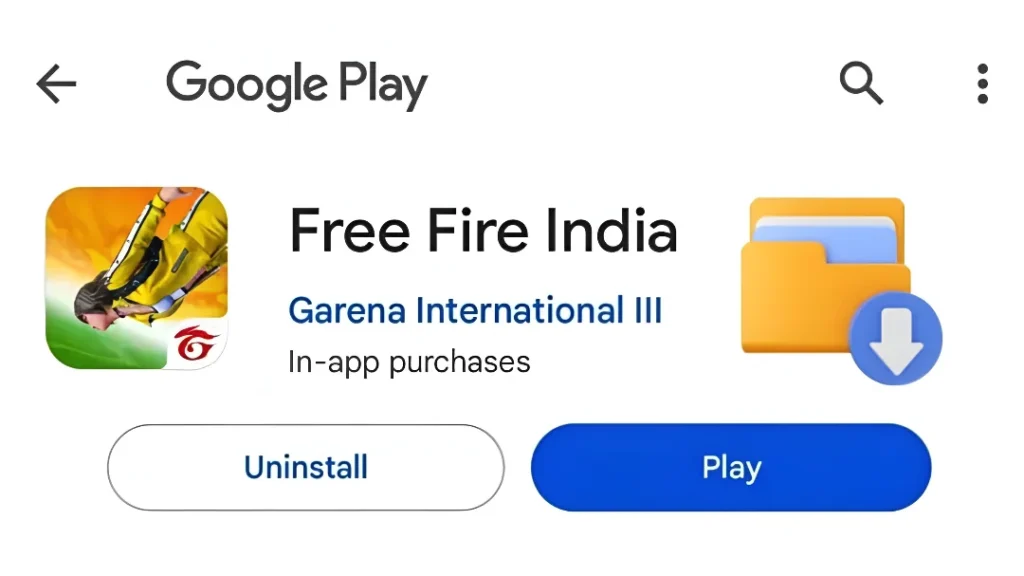
- Search “Free Fire” or “Free Fire MAX.”
- Check the publisher name (Garena).
- Install and allow additional in-game downloads.
Android — APK
If the Play Store isn’t available, only download the APK from trusted sources. Scan it with antivirus and ensure the version is authentic before installing.
iOS — App Store
- Open the App Store.
- Search “Free Fire.”
- Verify the publisher and install directly.
PC — Emulators
Players can use emulators like BlueStacks to run Free Fire on a larger screen. Simply install the emulator, then download Free Fire through its Play Store.
How to Install Free Fire Lite (Low MB) — Step by Step
- Check if Free Fire Lite is officially available in the Play Store.
- If it isn’t, wait for Garena’s release rather than using shady APK sites.
- Free up space on your phone by clearing cache and moving media.
- Install the Lite version and let it download in-game resources.
System requirements for smooth play
- Minimum 2 GB RAM recommended.
- Android 5.0 or above.
- At least 1.5 GB free storage for extra updates.
Storage, RAM, and network tips
- Close background apps before playing.
- Use Wi-Fi for downloading resources.
- Keep extra space free for updates.
Top Gameplay Features to Expect (Big Action Highlights)
- Short 10-minute matches with 50 players.
- Wide variety of characters with unique abilities.
- Multiple modes including Clash Squad and Ranked battles.
- Constant updates, events, and esports tournaments.
Performance Tips: Make Free Fire Lite Feel Like a Pro
- Lower texture and graphic settings.
- Use performance or battery saver mode.
- Play with headphones for better audio cues.
- Keep your phone cool by avoiding long sessions without breaks.
Safety, Privacy, and Legal Notes
- Avoid downloading APKs from unknown sites.
- Only install official versions for safety.
- Don’t give unnecessary permissions to apps.
- Always keep your device backed up before testing new installs.
Free Fire India — Low MB, Big Action
Free Fire India is back with powerful action in a small package. Whether you choose the regular version or Free Fire Lite, you’ll enjoy intense 10-minute matches, unique characters, and nonstop action. Low MB download, fast installs, and a thrilling battle royale experience — all optimized for Indian gamers.
Conclusion — Should You Install Today?
Yes, if you love battle royale games, this is the time to reinstall Free Fire. The India relaunch is official, the servers are active, and tournaments are ready to begin. Free Fire Lite is also ideal if you have a low-storage phone and still want the full action-packed experience. Just remember to always download from official sources and enjoy safe, nonstop gaming.
FAQs
Q1: Is Free Fire India the same as the global version?
A1: The gameplay is similar, but Free Fire India comes with India-specific servers, localization, and events.
Q2: Is Free Fire Lite official?
A2: Some versions are still unofficial, so wait for Garena’s official release for safety.
Q3: How much space does Free Fire Lite need?
A3: The APK is usually under 120 MB, but you should keep 1.5 GB free for resources and updates.
Q4: Can low-end phones run Free Fire India?
A4: Yes, but using Lite or lower settings will give you smoother performance.
Q5: Where do I find official updates?
A5: The safest place is the Play Store, App Store, or Garena’s official announcements.

Azeem Aosaf is a visionary entrepreneur, digital strategist, and educator with a mission to empower individuals through online earning and digital innovation. As the CEO of HelixNex LLC, he leads multiple ventures across e-commerce, education, and fintech—helping people turn their digital skills into sustainable income. Through his educational initiative RankTrak, Azeem has trained hundreds of students in SEO, YouTube Automation, Freelancing, and AI-powered marketing. His work bridges technology and opportunity—creating a platform where learning meets real-world success. When he’s not mentoring students or building digital products, Azeem shares insights on entrepreneurship, marketing trends, and financial freedom through his blogs and social platforms. His core belief: “Your Growth, Our Mission.”