Apple’s “Liquid Glass” Slider Adds Motion and Depth to iOS
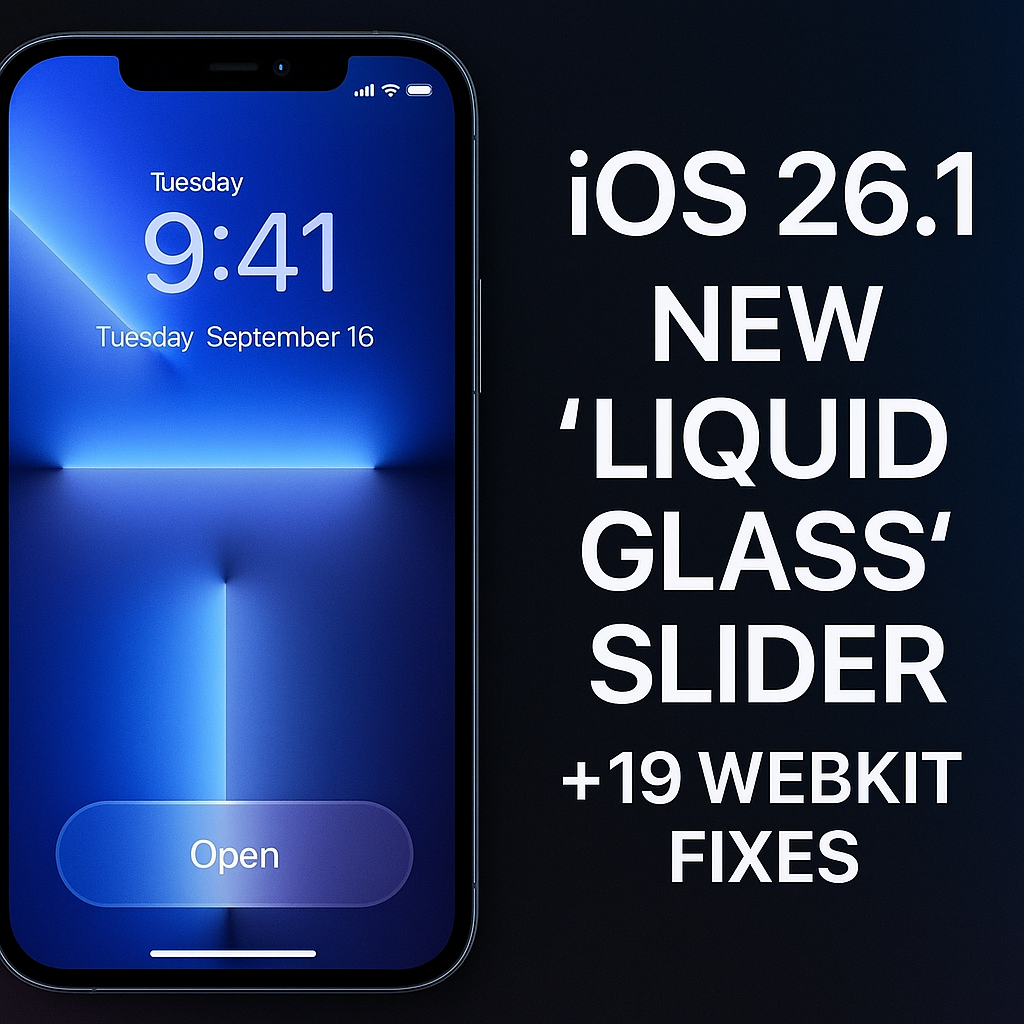
Apple has once again redefined the iPhone’s look and feel with iOS 26.1, introducing a sleek new “Liquid Glass” slider for the Lock Screen.
This update refines the futuristic design introduced in iOS 26, giving the iPhone interface a fluid, semi-transparent aesthetic that reacts dynamically to light and motion. The slider now feels smoother, more responsive, and visually richer — reminiscent of a glass sculpture flowing under your fingertips.
The feature isn’t just visual eye candy. Apple has clearly aimed for tactile elegance and usability, offering an experience that blends art and technology. The updated slider makes unlocking your device and adjusting brightness or volume feel more natural than ever before.
💡 Design Improvements That Matter
Here’s what’s new in the visual department:
- Refined Lock Screen Interaction: The Liquid Glass slider offers more depth and natural animation, shifting subtly based on background light.
- Tint Mode Options: Apple added a “Tint Strength” setting that lets users control how transparent or frosted the glass effect appears — a nod to accessibility and personalization.
- Improved Readability: Enhanced contrast ensures text and notifications remain clear even over complex wallpapers.
- Dynamic Wallpaper Integration: Wallpapers now blend seamlessly with Liquid Glass elements for a unified aesthetic.
This evolution cements Apple’s goal to make iOS not just functional but immersively beautiful, drawing inspiration from real-world materials while maintaining performance efficiency.
🔐 Security First: Apple Patches 19 Critical WebKit Vulnerabilities
While the design refresh draws attention, the real headline of iOS 26.1 is its massive security overhaul.
Apple has quietly fixed 19 distinct vulnerabilities in its WebKit engine — the technology that powers Safari and many in-app browsers. These flaws had the potential to allow malicious websites to execute arbitrary code, compromise data, or exploit the system’s memory.
Also Read This Apple’s Budget MacBook: Everything We Know About Apple’s Bold Move Into Affordable Laptops (Early 2026 Launch)
Key Highlights from the Patch:
- Cross-Site Scripting (XSS) Protection: Prevents malicious sites from injecting harmful scripts into legitimate web pages.
- Memory Corruption Fixes: Addresses dangerous flaws that could let attackers bypass security protections.
- Performance Hardening: WebKit now loads pages faster and handles complex animations more efficiently.
- Zero-Day Exploit Prevention: Apple proactively closed several loopholes reportedly used in targeted attacks.
Security experts consider this update a priority installation for all iPhone, iPad, and Mac users. Even if you’re not using Safari, WebKit is embedded in countless apps — meaning the vulnerabilities could impact your device silently.
⚙️ How to Update to iOS 26.1
- Open Settings → General → Software Update.
- Tap Download and Install.
- Plug in your iPhone and ensure Wi-Fi connectivity.
- Restart after installation completes.
Pro Tip: Back up your iPhone to iCloud or your Mac before updating, just in case something goes wrong during installation.
🌍 Why This Update Is Especially Important for UK, US, and Canadian Users
🇬🇧 United Kingdom
Many UK users rely on public Wi-Fi networks — from trains to cafes. These are prime targets for browser-based attacks. The new WebKit fixes protect against malicious web code that could steal personal or financial data.
🇺🇸 United States
In the US, where iPhone usage exceeds 55%, this update safeguards business professionals and students alike. Apple’s enhanced security makes mobile banking, work portals, and browsing safer.
🇨🇦 Canada
Canadian users benefit from both the new design and battery optimizations. The improved Liquid Glass rendering reduces GPU load, giving slightly better performance and thermal balance on iPhones in colder climates.
In all regions, iOS 26.1 represents Apple’s continued push to merge luxury design with robust cybersecurity.
🧠 Why the “Liquid Glass” Design Is More Than a Gimmick
The concept behind Liquid Glass stems from biomimicry and realism — the idea of replicating natural materials digitally. Apple’s designers reportedly experimented with real glass surfaces under different lighting conditions to perfect the reflection and transparency balance.
The result? A system UI that feels alive. Motion sensors adjust the light reflection as you tilt your phone, creating the illusion of curved glass floating above the screen.
Yet this isn’t just about aesthetics. The frosted transparency provides context awareness — letting users see subtle layers of their wallpaper or notifications without losing clarity.
It’s Apple’s latest attempt to turn everyday interactions into moments of delight, blending functionality and sensory appeal.
🔒 Apple’s Security Track Record — And What’s Next
This update follows Apple’s consistent emphasis on privacy and digital safety. Over the past year, the company has rolled out:
- Advanced Tracking Protection for Safari
- App Privacy Reports
- Face ID hardware isolation improvements
Now, with iOS 26.1, Apple reinforces its WebKit-first security model, ensuring Safari and all third-party browsers remain resilient to emerging threats.
Insiders suggest the company is already testing WebKit 2.0, an upcoming engine rewrite that will further harden memory safety and sandboxing mechanisms.
🧭 Final Verdict
The iOS 26.1 update is more than a cosmetic tune-up. It’s a statement that Apple can evolve visually and stay ahead of the security curve.
If you value both design elegance and peace of mind, this update is non-negotiable. Whether you’re drawn to the hypnotic shimmer of the Liquid Glass slider or just want your data safer — iOS 26.1 delivers both beauty and brains.
🧩 Key Takeaways
- Update Name: iOS 26.1
- Main Feature: “Liquid Glass” slider with Tint customization
- Security Fixes: 19 WebKit vulnerabilities patched
- Recommended For: All iPhone users (especially online shoppers, business users, and travelers)
- Rollout Regions: Global — with active deployments across the UK, US, and Canada
❓ Frequently Asked Questions (FAQ)
1. What is the Liquid Glass slider in iOS 26.1?
It’s a redesigned Lock Screen control featuring a fluid, translucent visual style inspired by glass and motion physics.
2. Does the update affect older iPhones?
iOS 26.1 runs best on iPhone 11 and newer models, but most devices from iPhone XR onward can install it.
3. Why is the WebKit patch so critical?
Because WebKit powers all iOS browsers, even third-party ones — leaving it vulnerable could expose sensitive data to hackers.
4. Will the new design drain my battery?
Apple optimized GPU rendering for the new effect. Battery impact is minimal, especially in “Tinted” mode.
5. How often does Apple release such updates?
Apple typically issues minor updates every 6–8 weeks to refine visuals and address security vulnerabilities.

Azeem Aosaf is a visionary entrepreneur, digital strategist, and educator with a mission to empower individuals through online earning and digital innovation. As the CEO of HelixNex LLC, he leads multiple ventures across e-commerce, education, and fintech—helping people turn their digital skills into sustainable income. Through his educational initiative RankTrak, Azeem has trained hundreds of students in SEO, YouTube Automation, Freelancing, and AI-powered marketing. His work bridges technology and opportunity—creating a platform where learning meets real-world success. When he’s not mentoring students or building digital products, Azeem shares insights on entrepreneurship, marketing trends, and financial freedom through his blogs and social platforms. His core belief: “Your Growth, Our Mission.”